After Publication: Reports and logs
After the campaign was published you will get the following screen. For most channels you will only see the
publication timestamp. For the distribution channel ‘Email’ there however we provide detailed reports and
logs.
 Figure 9.22 – News – Post-Publication – Reporting
See below for details on the information we provide for each mailing (which is called a campaign on the
report).
 Figure 9.23 – News – Reporting – Overview
Please find below a line by line interpretation of the figures provided on the overview page.
- Sent 165/165: The total number of recipients 171 emails, 165 have been sent. There are several
reasons why the 6 remaining have not been sent. Either they have unsubscribed in the past, or the
email has ‘hard bounced’ (i.e. is not valid anymore) in the past. In both cases schedulR will not send
out the emails, but they remain on the distribution list unless you remove them manually. The
number on the left changes as you send emails, so it will always match the number on the right in the
end. - Delivered 157/165: Out of the 165 emails that have been sent, 157 have been delivered to the
inboxes of the recipient. The remaining eight are bounces (i.e. is not valid anymore). Here it is not
visible if it have been hard bounces or soft bounces. - Opened 48/157: Out of the 157 that have been delivered to recipients’ inboxes, 48 have been
opened. This figure is not totally accurate at it depends on the security settings of the recipients, i.e.
most likely it was slightly higher. If a recipient opens the email without downloading any graphical
element it will not be logged as opened. - Opens 134: In total your campaign has been opened 134 times. As only 48 recipients have opened the
mail this means some of those have opened it several times. Alternatively, they might also have
forwarded the email. All opens of a forwarded email will be logged as opens of the initial recipient.
Details on the openers are available in the log - Clicked 40: A total of 40 links have been clicked. There is no information on how many users are
responsible for these 40 clicks. More recently some security filters (bots) seem to be clicking all links
to make sure they are not harmful. For details on who has clicked you need to consult the log. - Bounced 8: Emails that have not been delivered to any inbox. This might have been because the email
is not valid anymore, or because the emails were blocked by the recipients mail server because of
‘sender reputation’. Details are visible in the log.
If you want to disable tracking of clicks and opens, you can do it via ‘Settings ¦ Company Profile’ on the Mailing tab (see section View and adjust your company profile).
There is no figure for the 2nd tab ‘Content’ as this will be just a display of the content that has been sent out.
Please see below for more details of the third tab ‘Report’
 Figure 9.24 – News – Reporting – Report
The fourth tab ‘Log’ provides you with all individual actions related to that specific campaign sorted by when
they took place. See below for details.
 Figure 9.25 – News – Reporting – Log
See below for details about reporting after publication on SIX
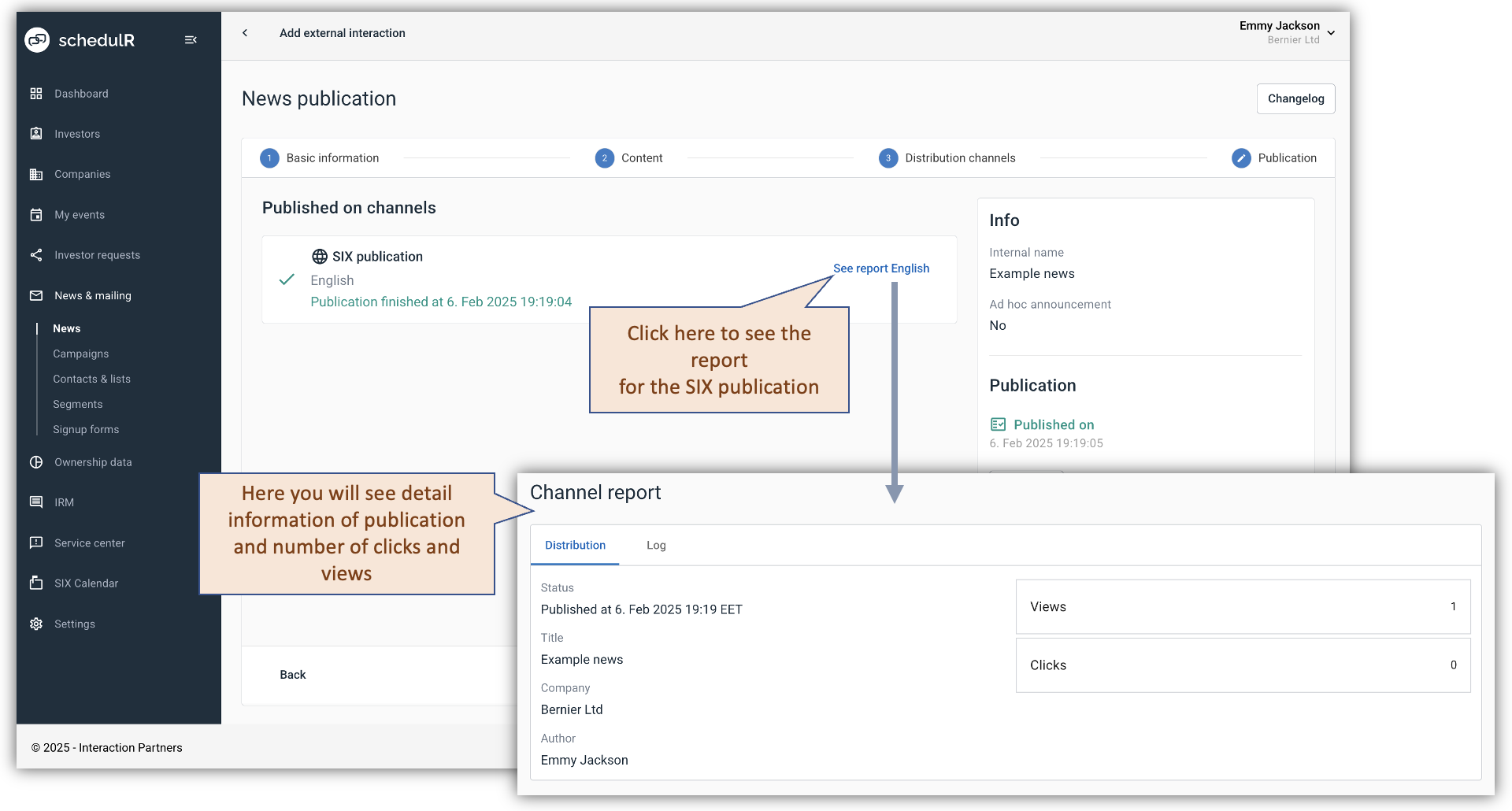 Figure 9.25.1 – News – Reporting – SIX