View and adjust your company profile
Your company profile can be modified via ‘Settings ¦ Company Profile’. The tab ‘General’ allows you to e.g.
manage the users of your company.
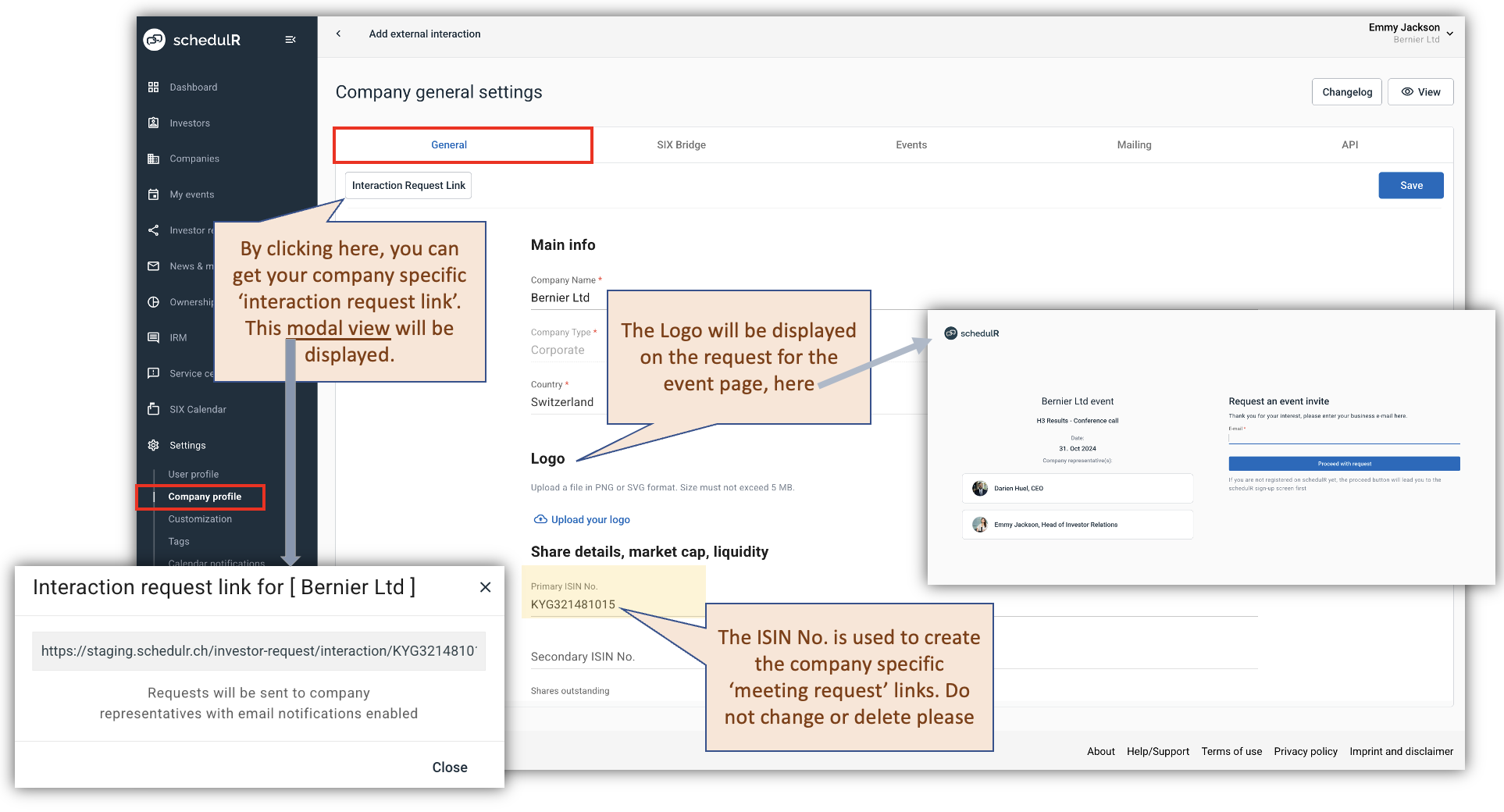 Figure 2.4 – Edit Company / General
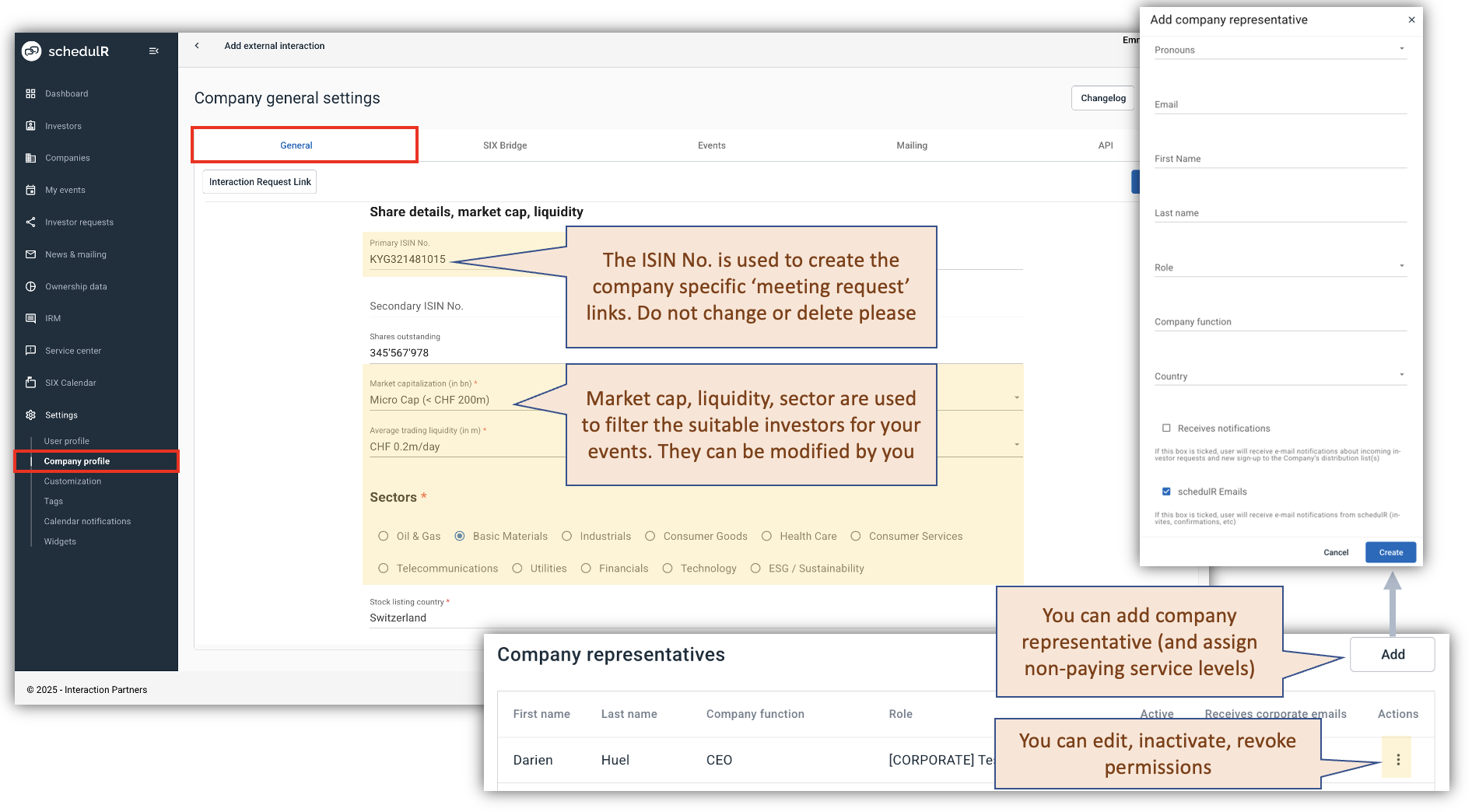 Figure 2.5.1 – Edit Company / General 2
The second tab continues mostly event related information, which includes company description, company-
specific sender email & signatures, Zoom credentials, and Marketing email opt-in settings.
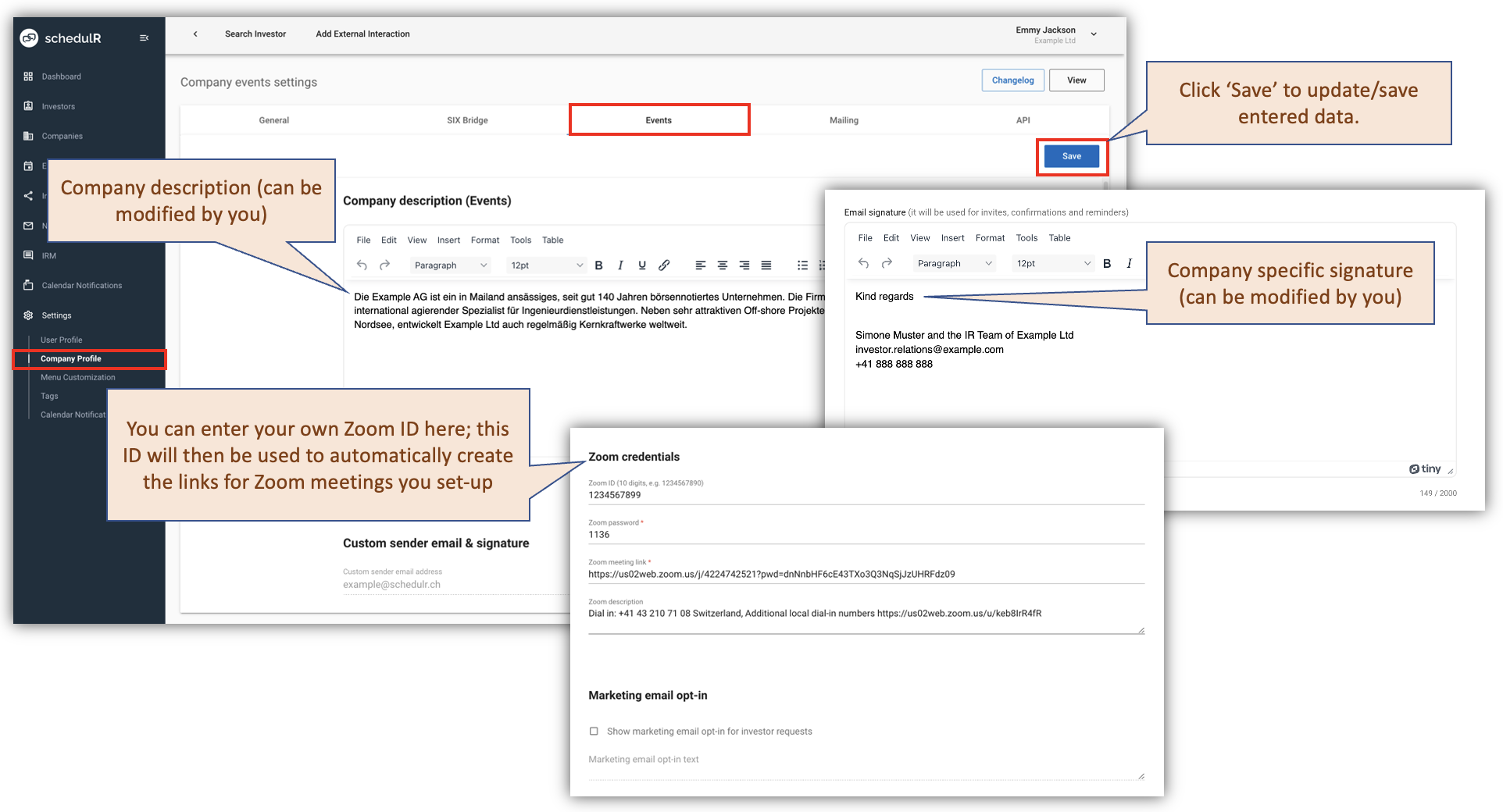 Figure 2.5 – Edit Company / Events
The last tab ‘Mailing’ will only be available if you have subscribed to the News/Mailing module.
 Figure 2.6 – Edit Company / Mailing
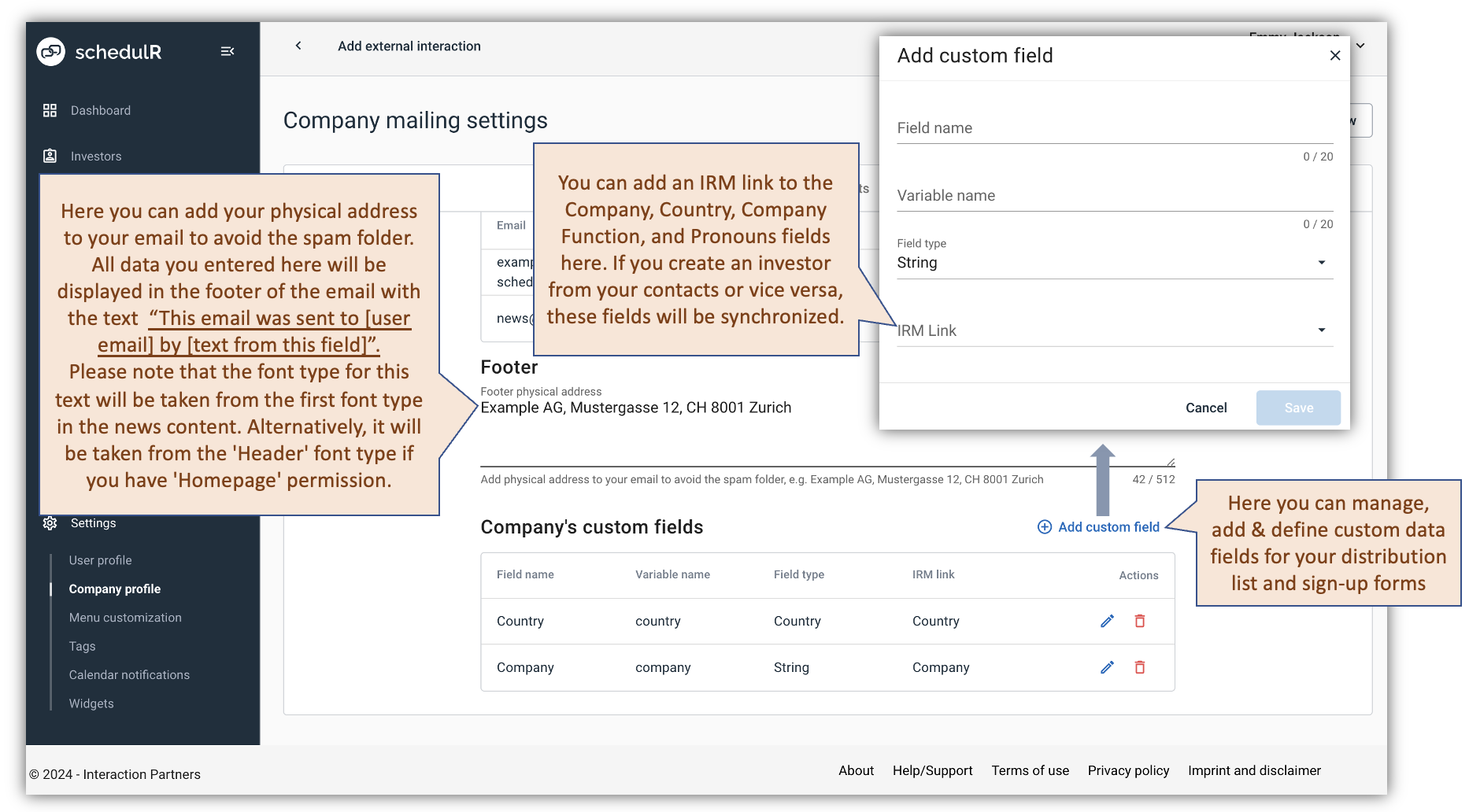 Figure 2.7 – Edit Company / Mailing -2