Service center
Using the Service Center, you can create a ticket for various requests. For example, you can report data changes for companies or investors, inform us of technical issues, or share ideas for system improvements.
In the following screenshots, we provide step-by-step instructions on how to create a ticket.
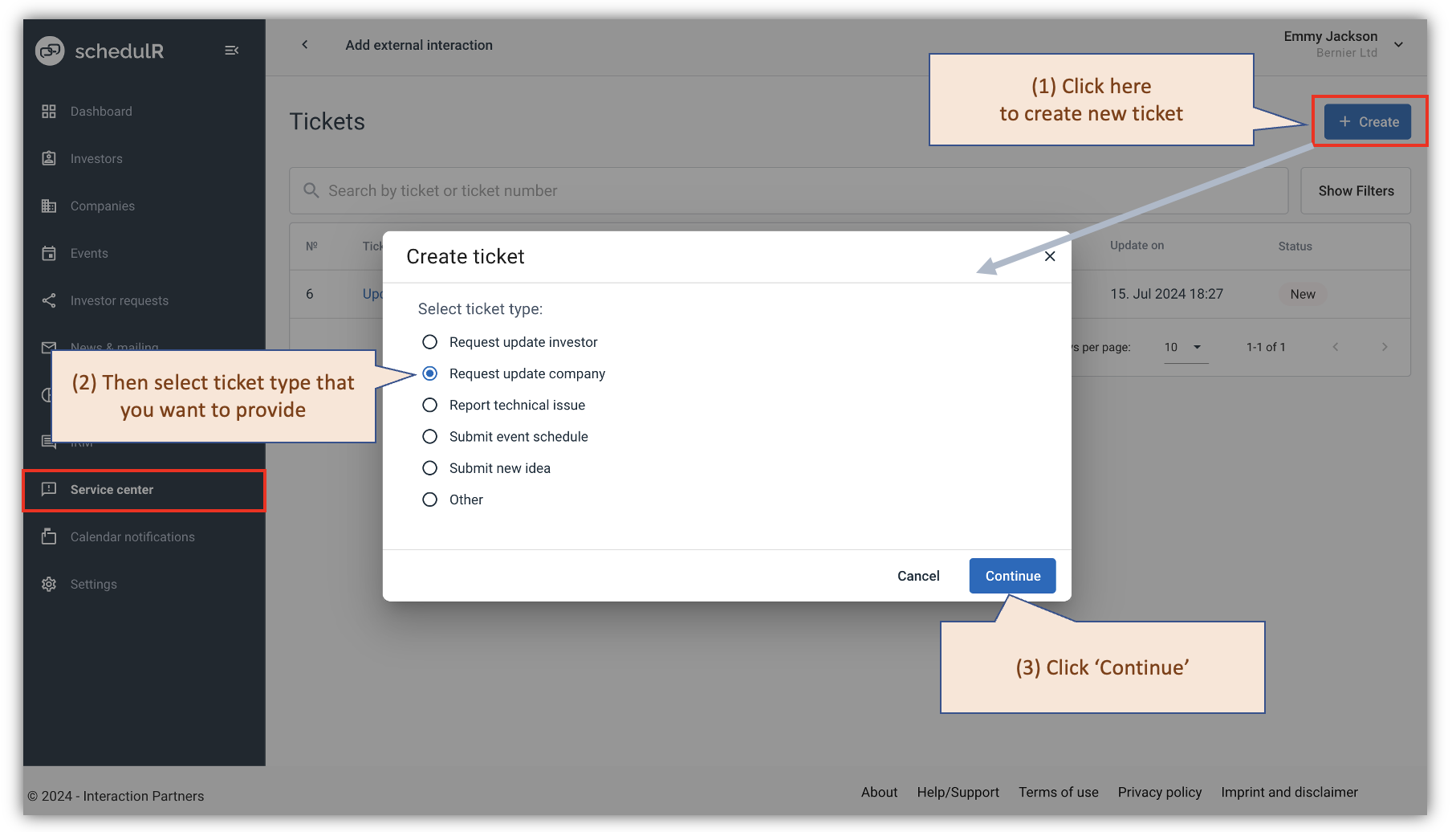 Figure 16.1 – Create ticket - 1
 Figure 16.2 – Create ticket - 2
The following screenshots will provide information on how to view your tickets, add new comments, and see updates to your tickets.
 Figure 16.3 – Service Center - page view
 Figure 16.4 – Service Center - view ticket
Please note that you will receive email notifications about changes to your ticket. For example, if the status changes to "Done" or if we leave a comment on the ticket, you will be notified by email.