Editing (and Deleting) a distributed news item
If you need to edit a published news item, you can do that via the ‘News’ overview. Clicking on cancel will
‘unpublish’ on SIX. You then can edit the News item again and republish it.
Obviously, this will not work for a mailing distribution. If you need to change material things there, you must
replicate (see section Replicating a News Item) the news item and send it again.
 Figure 9.26 – News – Cancel a distribution
If you want to completely delete a news item, you can do that via the ‘News’ overview. This will delete all data on schedulR (including logs) and on SIX and Homepage, but recalling email, AWP, and US distribution are not possible.
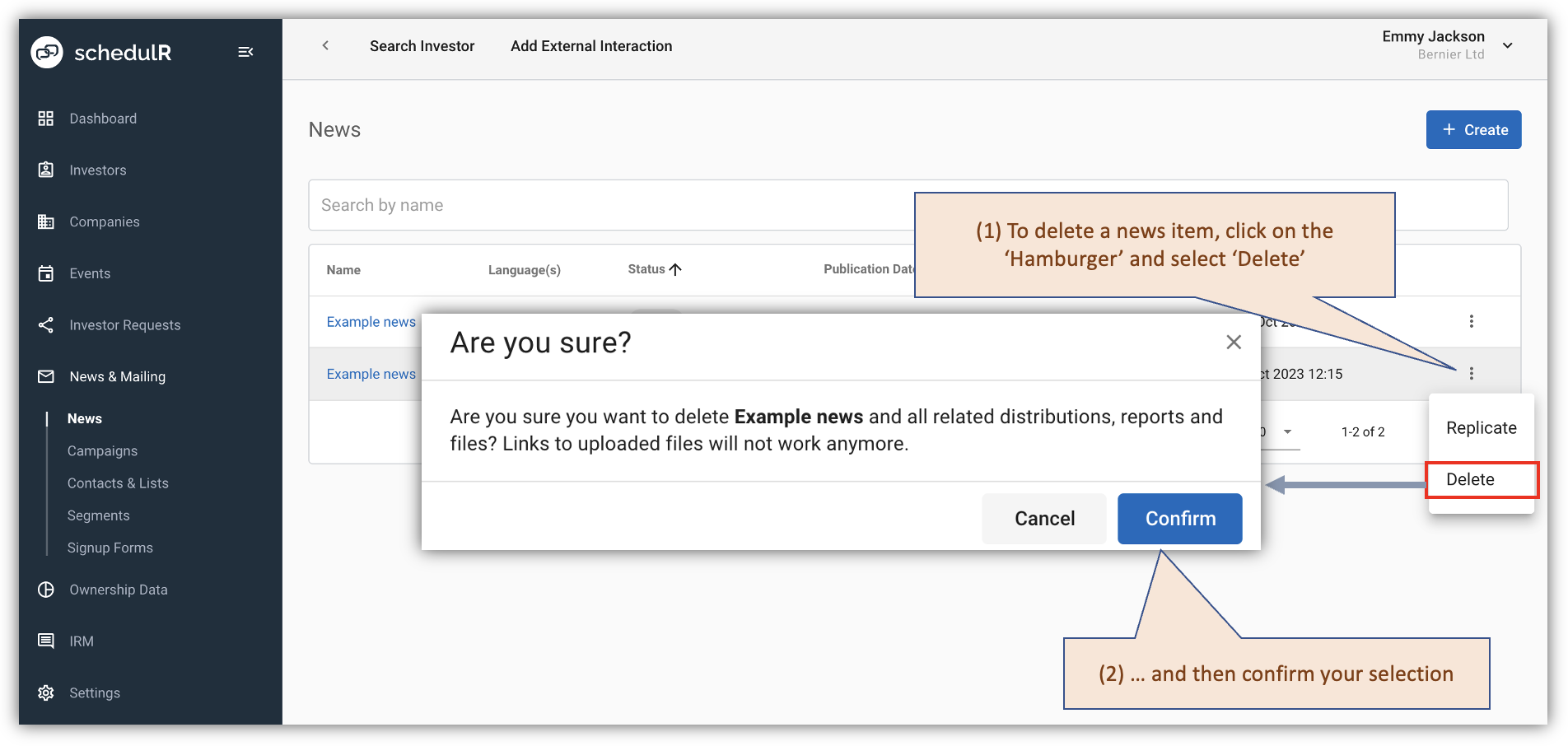 Figure 9.27 – News – Delete a news item