Create/Edit Event – Feedback Set-up
Collecting feedback directly from investors is an important part of investor relations. This is best done during
the meeting. However, that is not always possible, and you might also be interested in collecting feedback in a
more structured way. That is what you can do via our feedback workflow.
 Figure 7.17 – Create/Edit Event – Feedback Set-up 1/3
 Figure 7.18 – Create/Edit Event – Feedback Set-up 2/3
 Figure 7.19 – Create/Edit Event – Feedback Set-up 3/3
Best Practice - How to create good feedback forms: Ideally you want to have a high response rate and a lot of
details. But these are conflicting goals. This is what worked for us:
-
Limit the amount of questions to below ten: It seems that (around) ten is a magical threshold, if you have
more questions than that (e.g. twelve) we have seen collapsing response rates. Less is more. This saying
especially applies to surveys. -
Send yourself test emails to check format and spelling (see Create/Edit Event – Invites for details): You have the preview
functionality, still it is an excellent idea to add your investor test user to e.g. a group meeting of the event
and then send yourself an invite to check spelling and format.
Please find below a screenshot from a feedback form with standard questions (as an example how the form
can look like) and explanations/remarks on the form as it will be displayed to an investor.
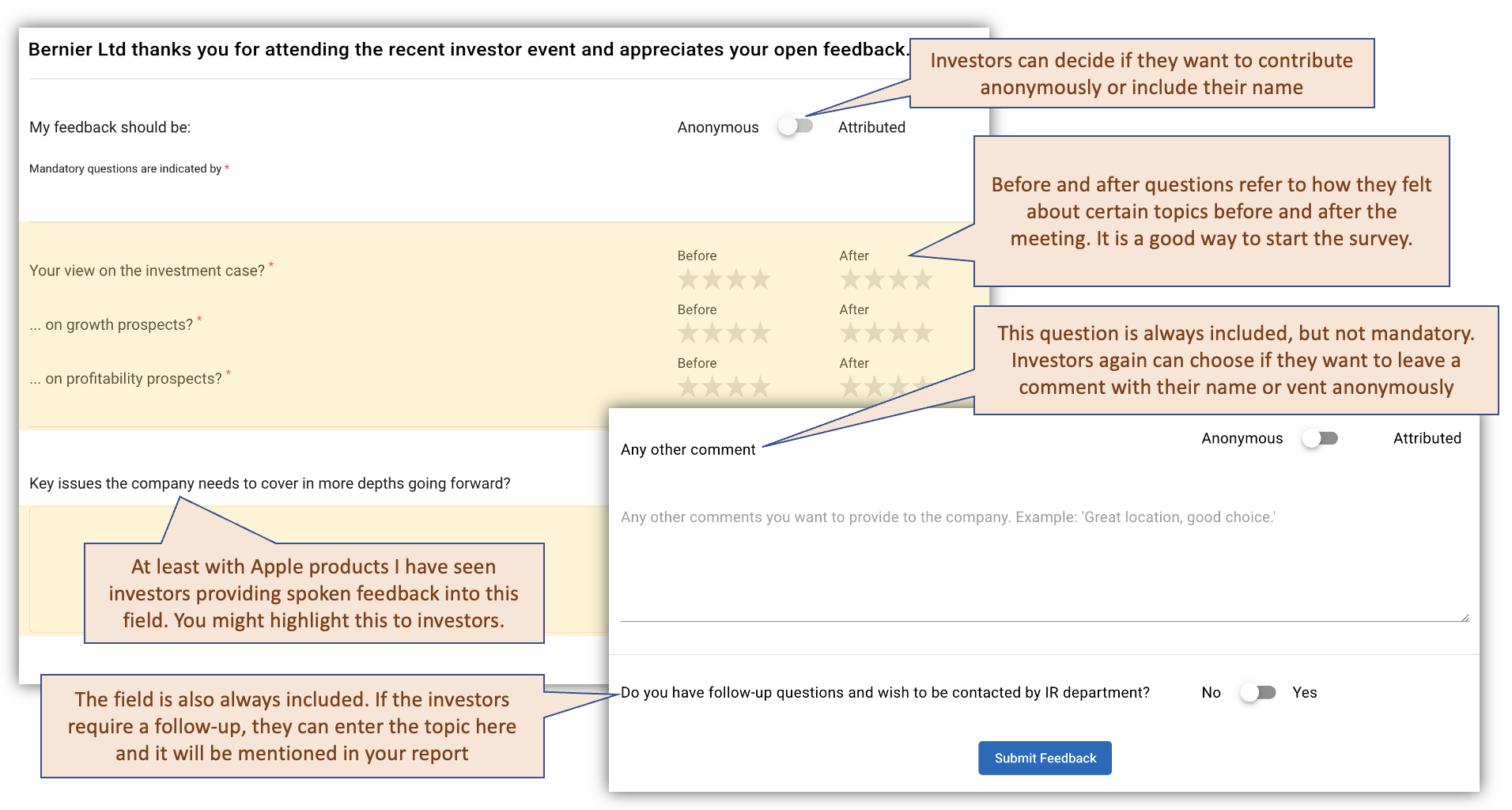 Figure 7.20 – Create/Edit Event – Investor View