View, delete and add investor specific tags (via investor profile)
SchedulR allows you to add ‘tags’ to investors. Tags are always ‘company specific’. Think about tags as a kind of
searchable post-it - only visible to members of your organization - which you can stick to an investor.
There are several ways to manage, view, add & delete tags. One way is via ‘Settings ¦ Tags’, which will give you
an overview of the tags you created and how often you have used these tags. There, you can also create new
tags or delete existing ones (but only if it is not used any more). Please note that we have some pre-defined
tags (Priority 1-3), which we use to create standardized company specific IR reporting (see section Generate an IR Activity report (IR Analytics)), but you can also define your own tags (e.g. ‘2.5% Bond 2021’ for all investors
that bought that bond). Each user can only be tagged with one Priority tag. All other, created tags can be
added in an unlimited number to one user.
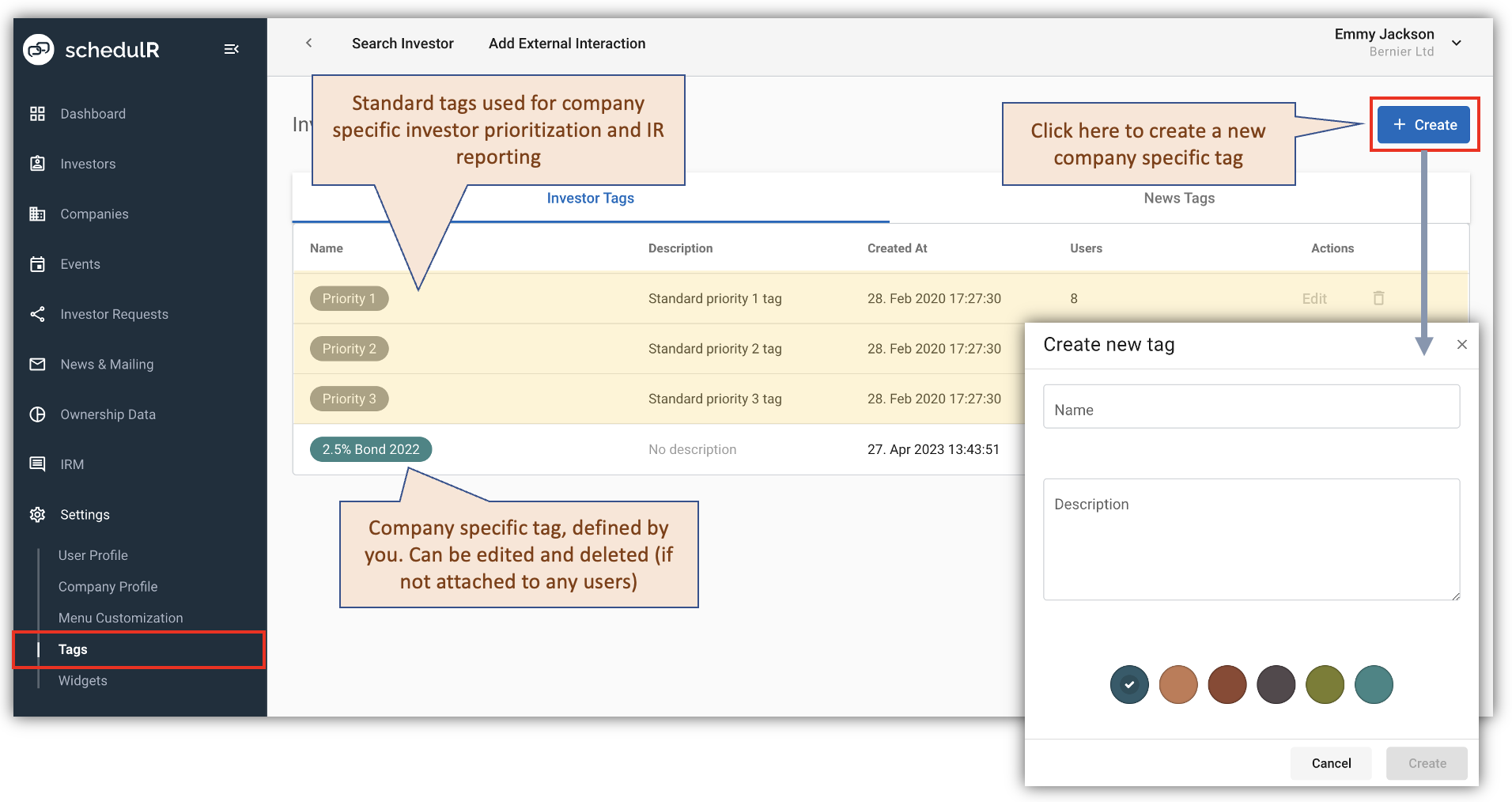 Figure 4.10 – Company Settings – Tags
The easiest way to delete, add tags is via ‘Linked Investors’
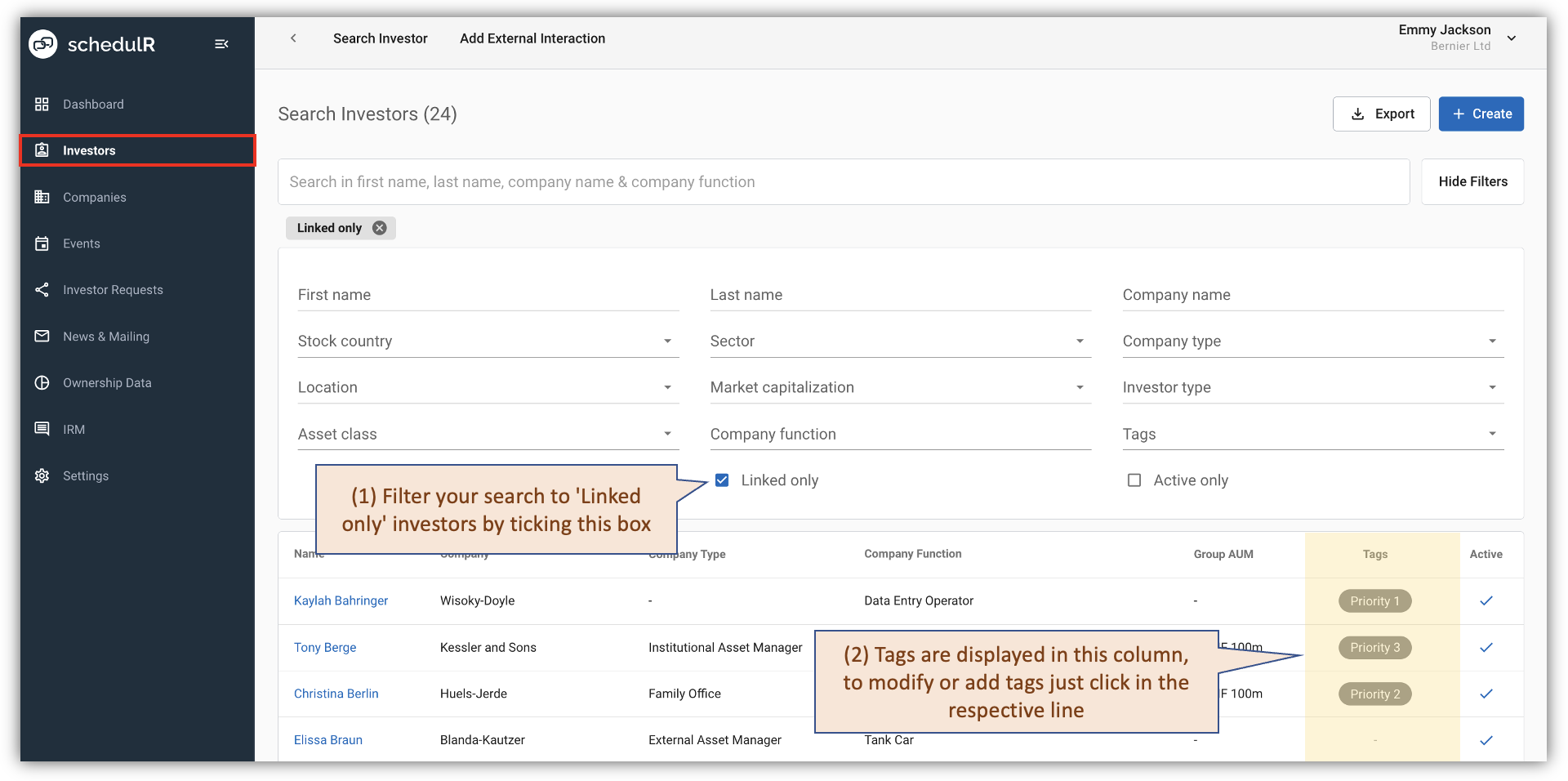 Figure 4.11 – Add/Delete tags via ‘Linked Investors’
 Figure 4.12 – Add/Delete tags via ‘Linked Investors’
Modifying tags is also possible via the investor profile (see Search and view investor for details on investor profiles) as described in the figures below.
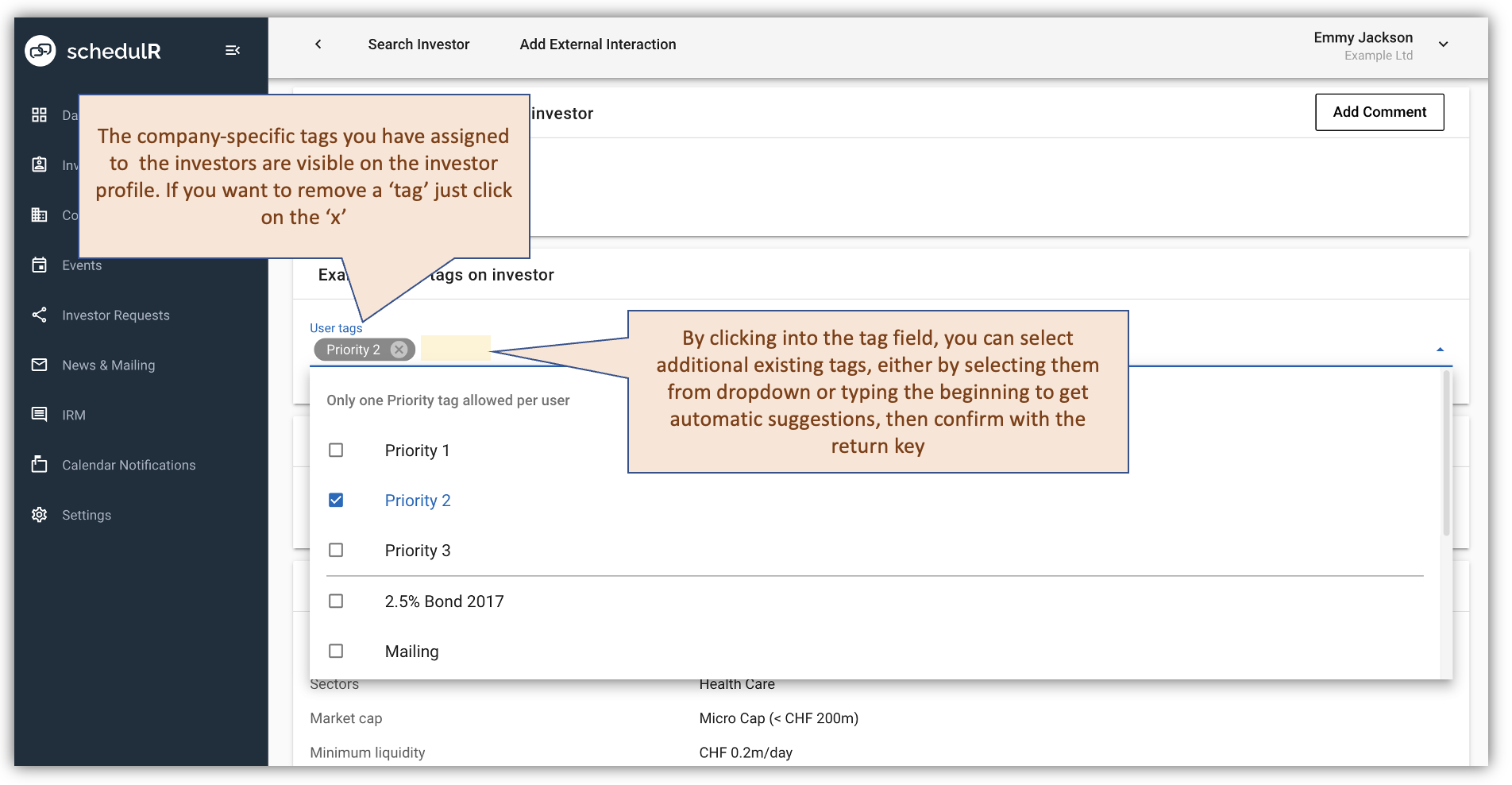 Figure 4.13 – Modify tags via investor profile view