View and add private comments to investor
You can add private comments about specific investors who are already registered on the platform. Such
comments are visible only to other users from your company, not to other investors on the platform or to the
Admin.
To do that you have to pull the user profile of that specific user (see also section Search and view investor. Then you can see the
existing private comment on the user and edit this comment. A change here will be visible for and affect all
users of your company. But it will not be visible to anyone outside of your organization (private, company
specific comment on a specific investor).
A new screen opens where you can add/edit the comments to investors via Add Comment button or if in case
there is already an existing comment, via the Edit Comment button.
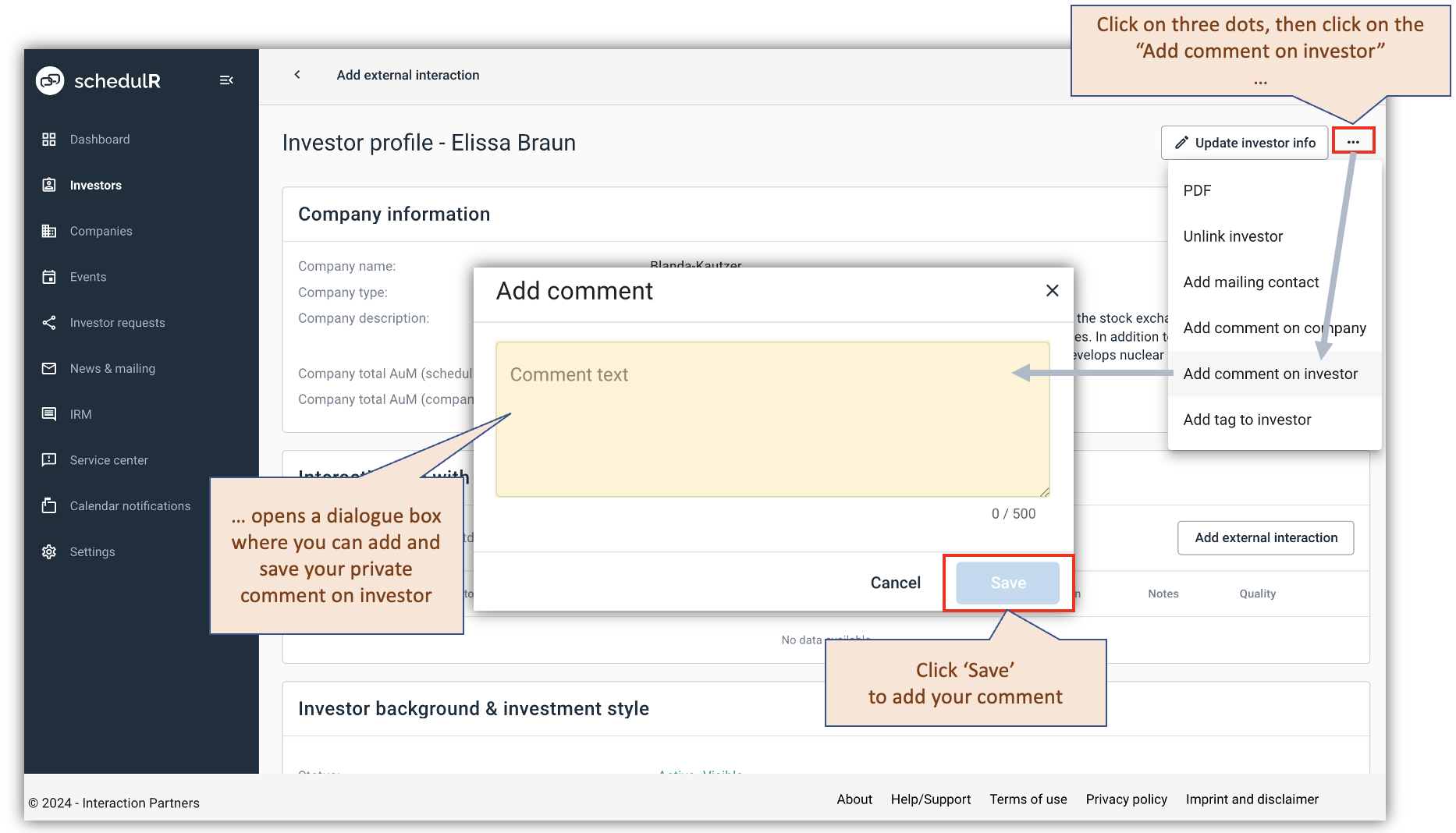 Figure 4.1 – Add private comment to investor (1/2)
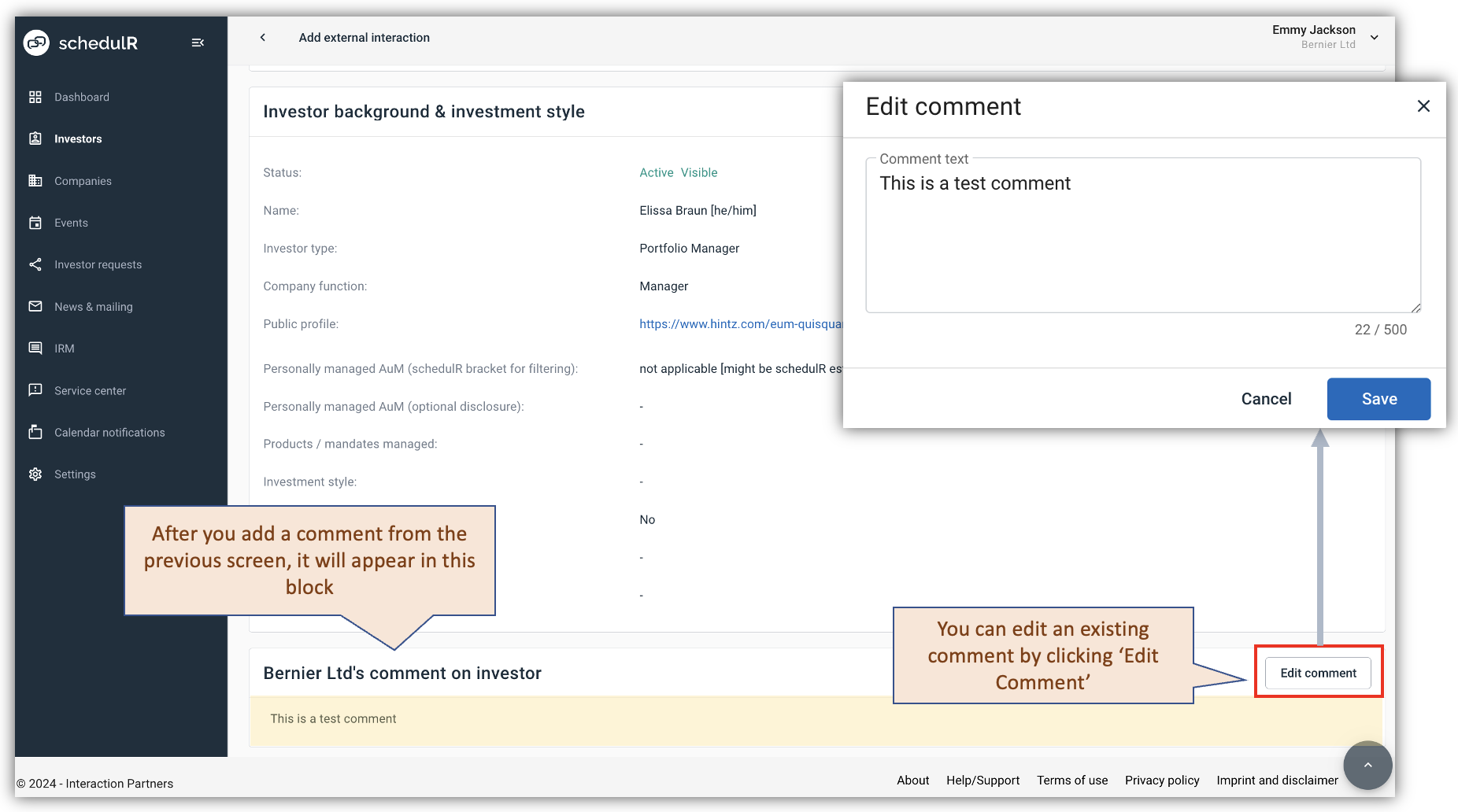 Figure 4.2 – Edit private comment to investor (2/2)