Event specific Invite Requests – Generating the link & use cases
When you are setting up an Event of your own (with the Events Module) we automatically create a link, which
allows interested investor to easily request an invite. Here is how you can generate that link:
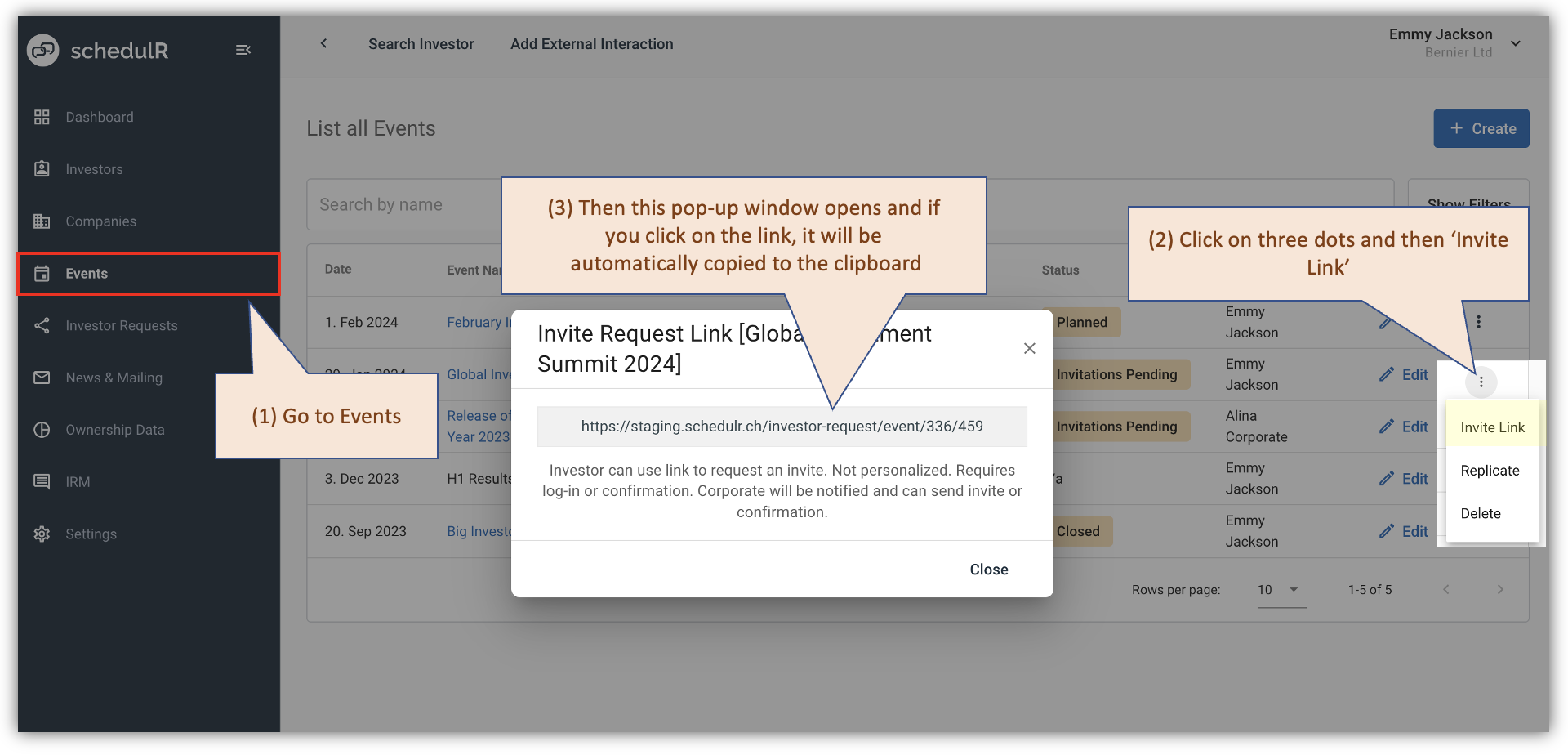 Figure 15.2 – Sourcing an ‘Event Invite Request Link’
The most commonly use case for this - in addition to the SIX calendar, is our ‘Corporate Calendar Widget’
where we provide you with a simple solution that automatically synchronizes schedulR, the SIX calendar and
the corporate calendar on your homepage.
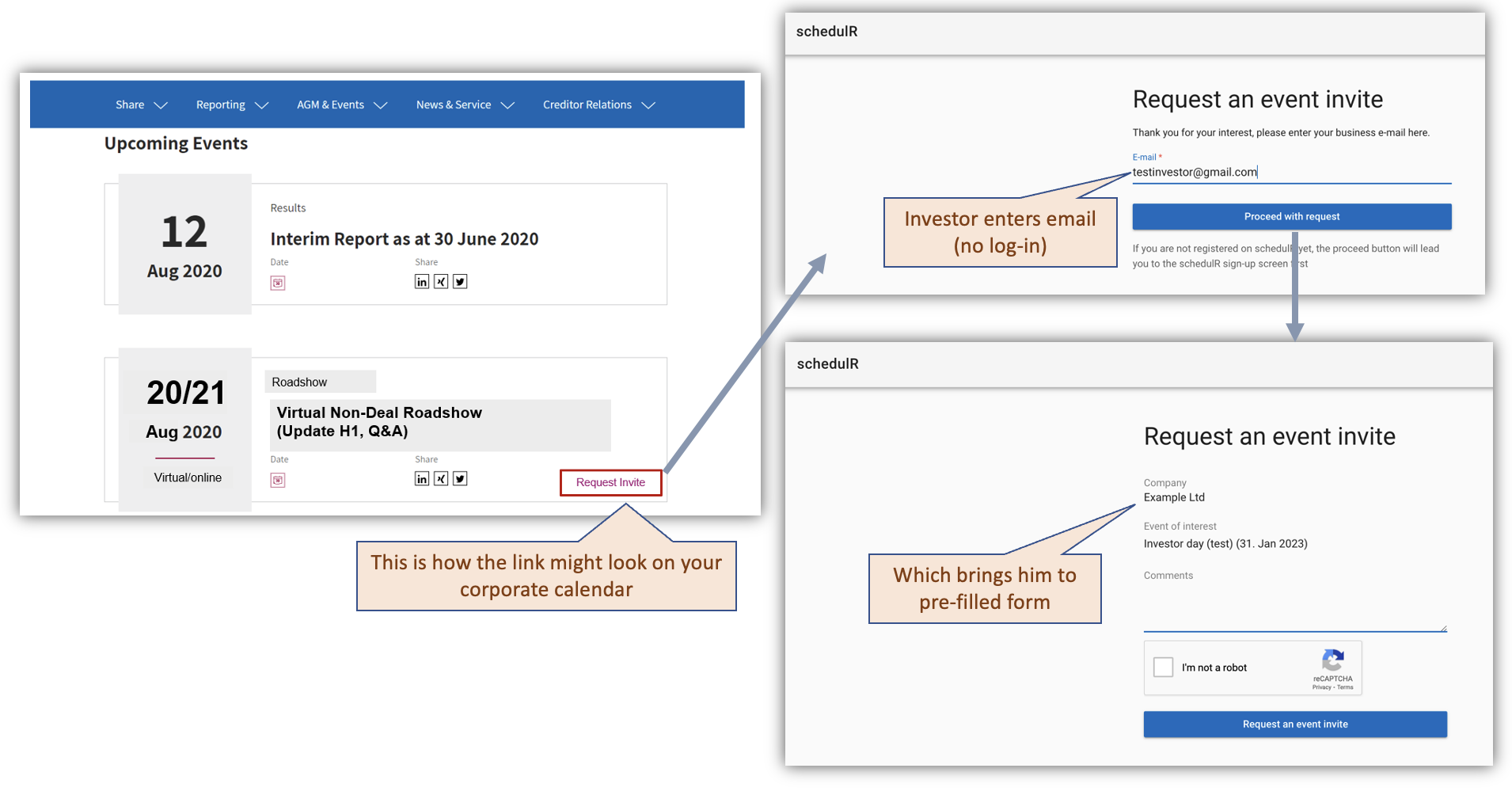 Figure 15.3 – Use case for Event Invite Request Link
Alternatively, you might also use the ‘event invite request’ links via Twitter or professional networking sites
like Linked.in, XING. Even Twitter might be an option, depending on your audience.