Display of incoming investor requests on schedulR
In case of incoming investor requests all users that have the notification email box ticked (which can be
changed in your user profile, or the company profile) will be informed via email that a new investor request
has come in. This notification email includes a link to the screen ‘Investor Requests’ where the incoming
requests are also displayed.
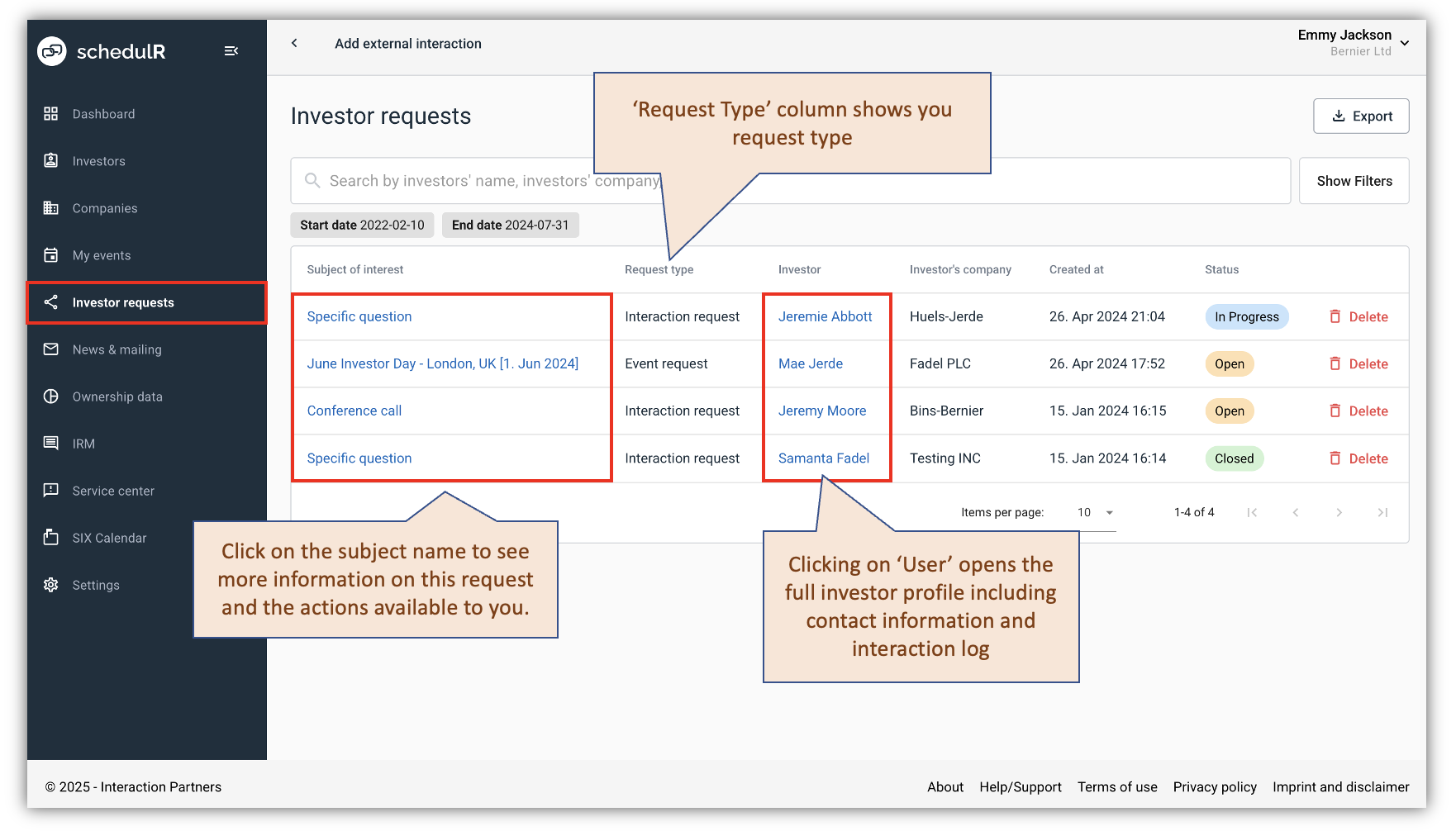 Figure 15.4 – Investor Requests Received
If you click on subject name, you will get more information on this request. The screen will look slightly different for Interaction Requests and Event Invite Requests.
This is what the ‘View’ screen of an Interaction Request looks like:
 Figure 15.5 – Interaction Request Details
This is what the ‘View’ screen of an Event invite Request looks like:
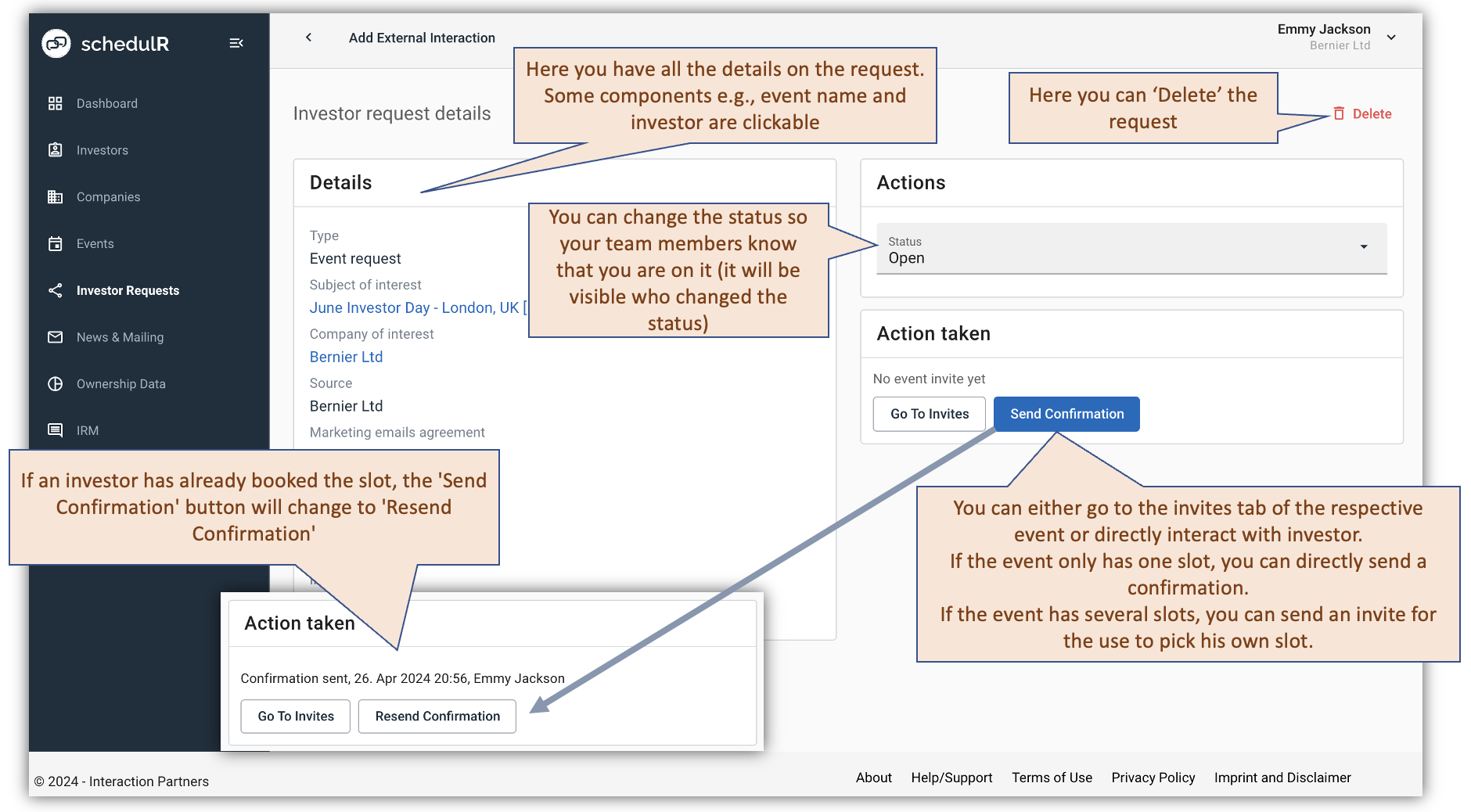 Figure 15.6 – Event Invite Request Details