Dashboard customization
The first page displayed after logging into schedulR will be the Dashboard. You can configure the display of blocks for easier access. For example, if you are most interested in the 'Recent Published News' block, you can adjust its position at the top. See the following screenshots for how to customize your Dashboard.
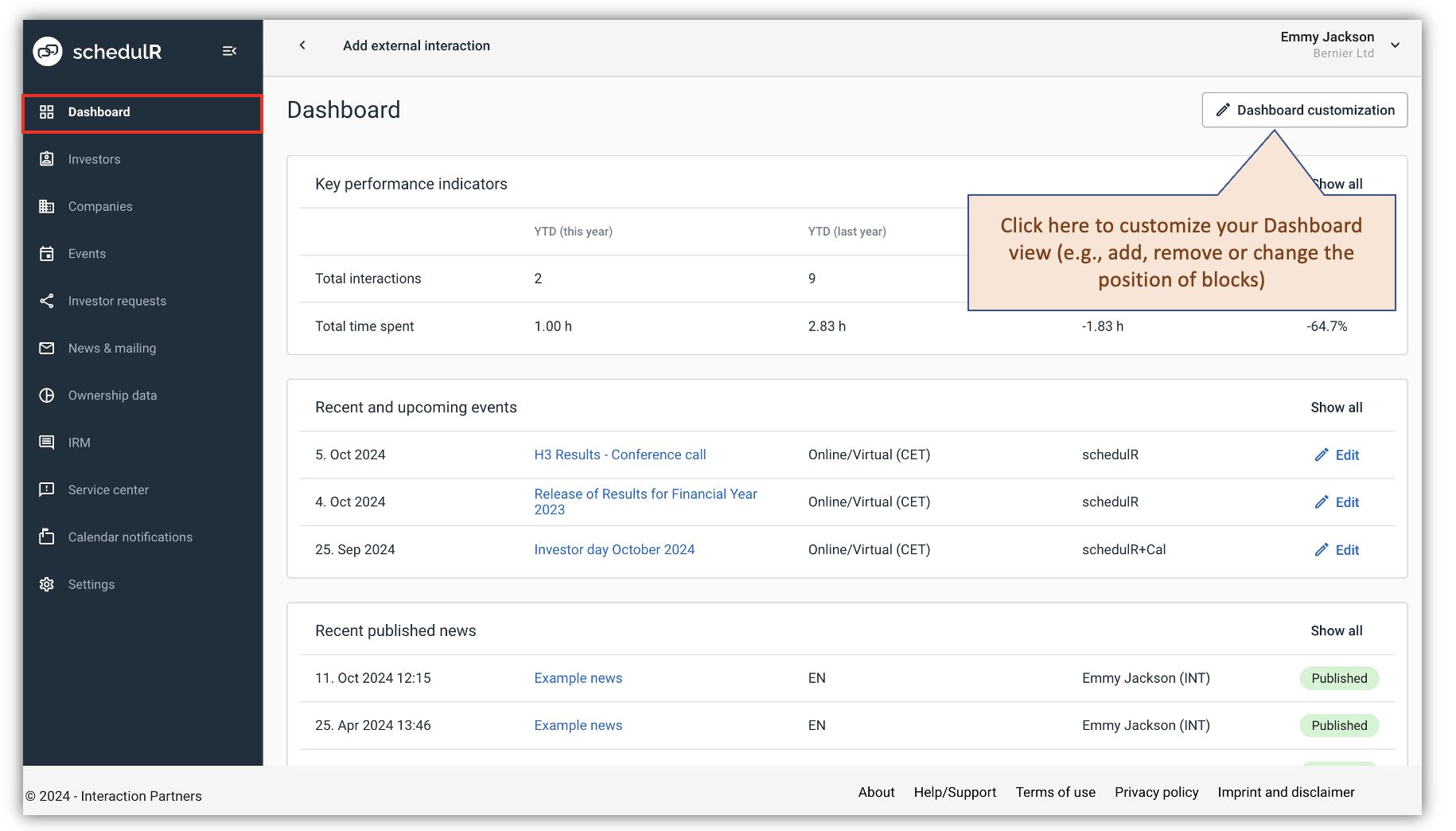 Figure 2.4.1 – Dashboard customization
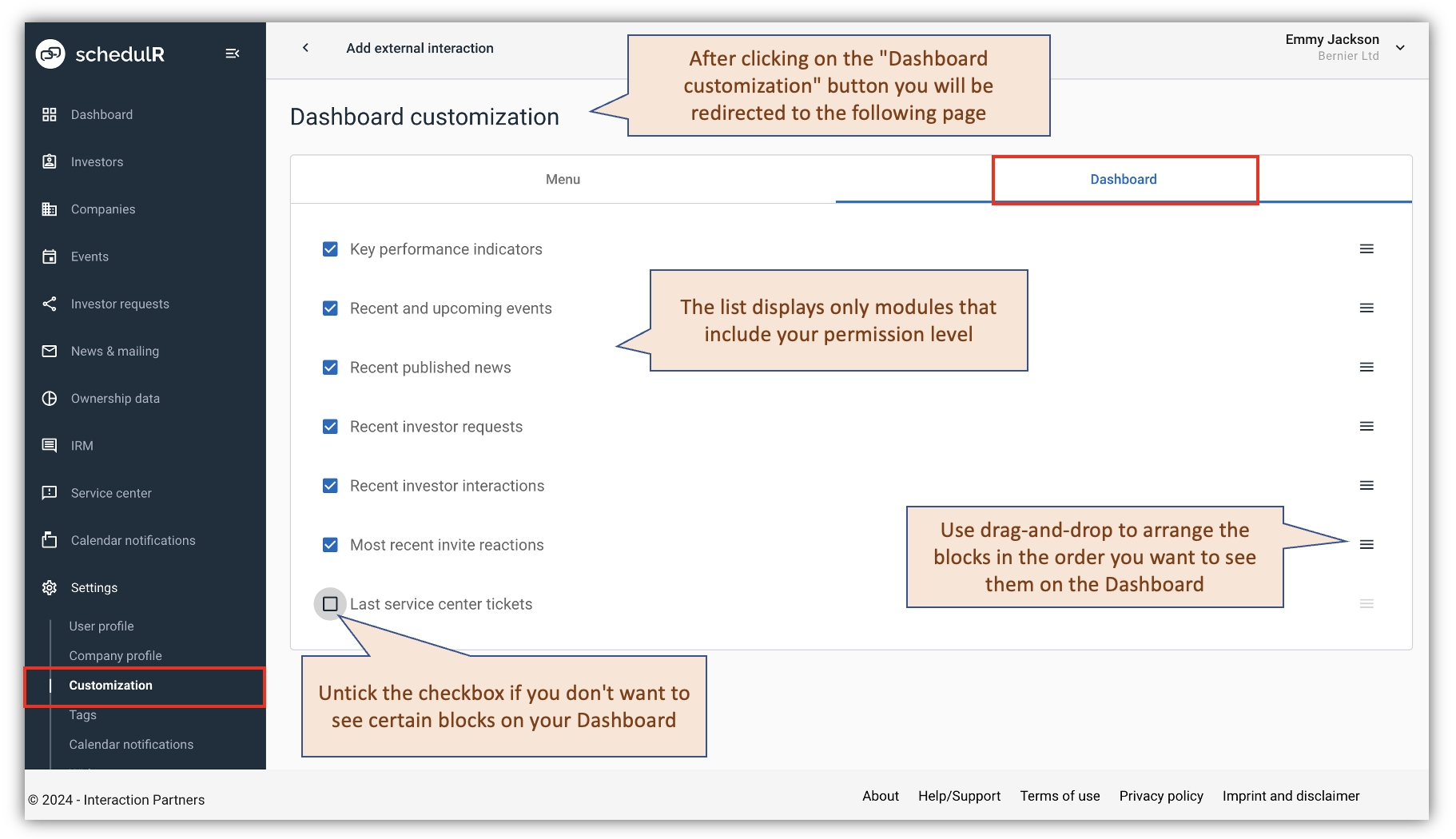 Figure 2.4.2 – Dashboard customization-2