View and download event schedules
Your upcoming and latest events will be visible on your dashboard, which is optimized for mobile experience
as well.
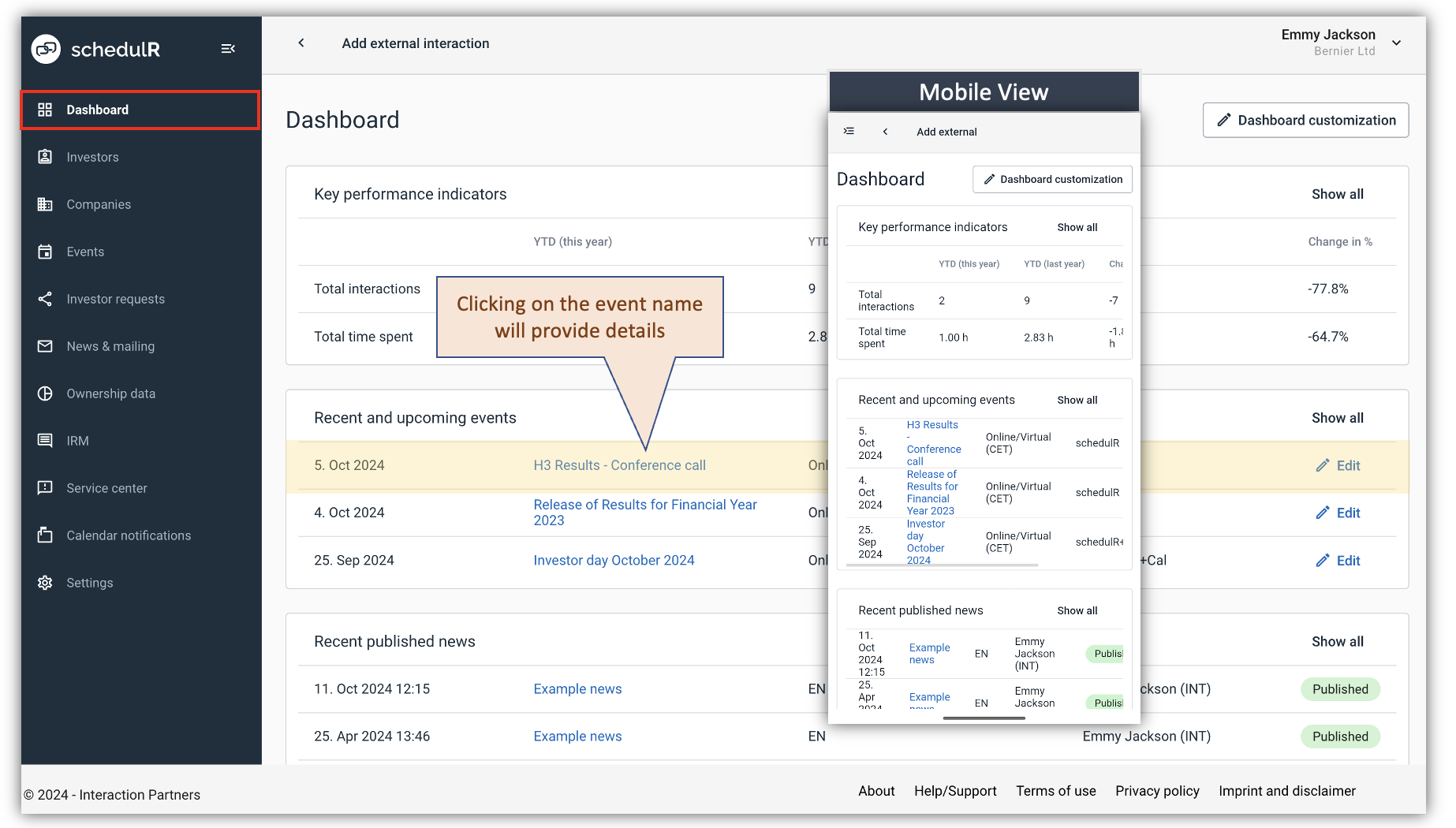 Figure 8.2 – View schedulR Events via dashboard
A full list of your events can be found in the menu ‘Events’. This view is not optimized for mobile performance,
but there it is easier find & search certain events, which becomes more relevant over time, with more events.
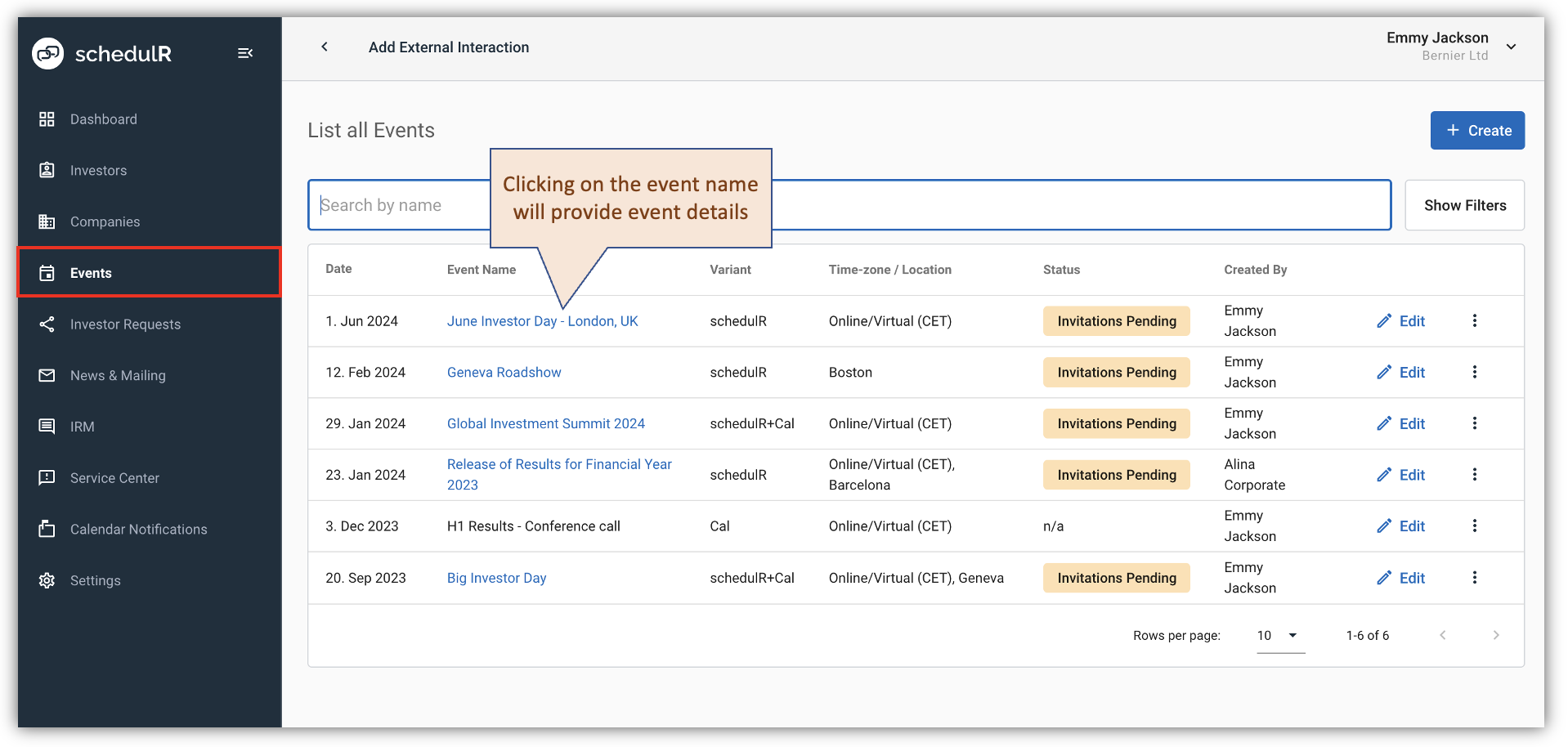 Figure 8.3 – View schedulR Events
Further information like schedules, added logistic comments, and investor profiles are available by clicking on
a specific event. Here you have three tabs. ‘Schedule & Notes’ (which is the default view), ‘Attendants &
Profiles’ and ‘Investor Feedback’. Below you will find more details on the ‘Schedule & Notes’ View.
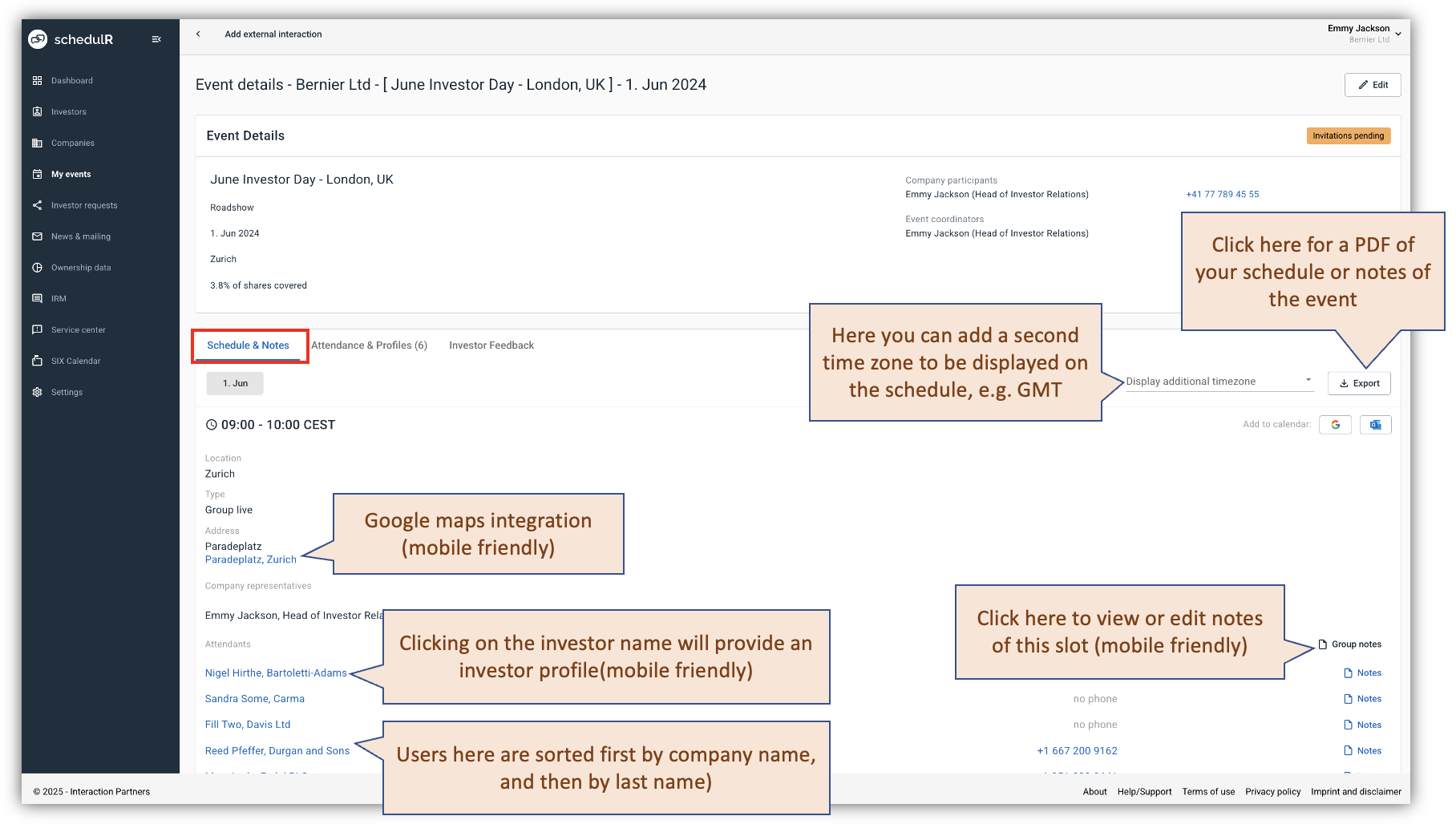 Figure 8.4 – Event – Schedule & Notes
Please note a feature we introduced due to the increasing importance of virtual events ‘Display of a second
time zone’. For a virtual where company participants and investors are in different time zone, e.g. CFO in
Zurich, and investors in London you now can have the event displayed with two time-zones, i.e. every slot will
have the time displayed in both time zones. Your selection will also apply to the PDF exports.